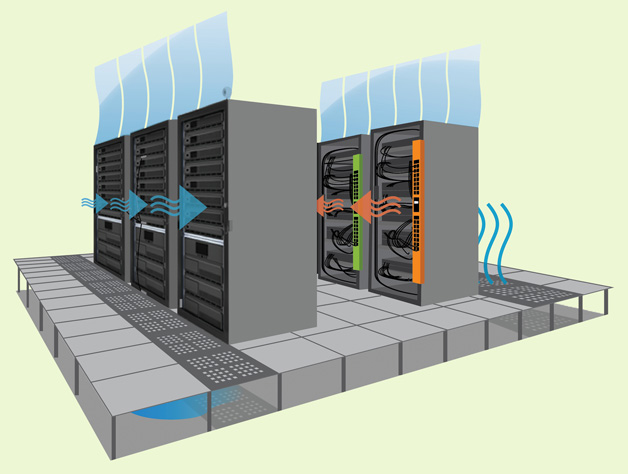
Why Servers Need Lots of Cooling: The Critical Role of Thermal Management
Servers generate immense heat, and without proper cooling they risk reduced performance, hardware failure, and costly downtime. This article explores why cooling is essential in modern data centers.
Introduction
Modern data centers house thousands of high‑performance servers that run 24/7, processing everything from web traffic to AI workloads. While these machines are marvels of engineering, they also produce a tremendous amount of heat. Efficient cooling is not a luxury—it is a necessity for reliability, performance, and cost control. In this article we’ll explore the technical and economic reasons why servers need lots of cooling.
1. Heat Is an Unavoidable By‑product of Computing
1.1 Power Consumption and Heat Generation
Every server consumes electrical power, and according to the law of conservation of energy, almost all that power ends up as heat. A typical 2‑U rack server can draw 400–800 W under load, which translates to roughly the same amount of heat energy released into the surrounding air.
1.2 Component Sensitivity
Key components—CPUs, GPUs, memory modules, and power supplies—have strict operating temperature ranges (often 0 °C to 85 °C). Exceeding these limits can cause thermal throttling, where the processor deliberately reduces its clock speed to stay cool, directly impacting performance.
2. Performance Degradation Without Adequate Cooling
2.1 Thermal Throttling
When temperatures rise above design thresholds, modern processors automatically lower their frequency and voltage. This protects hardware but can cut performance by 10‑30 % or more, especially during sustained workloads.
2.2 Increased Error Rates
Higher temperatures accelerate electromigration and increase the likelihood of soft errors in memory. This can lead to data corruption, application crashes, and the need for costly retries or redundancy.
3. Hardware Longevity and Reliability
3.1 Accelerated Wear
Heat accelerates the degradation of solder joints, capacitors, and other components. A rule of thumb in electronics is that for every 10 °C increase in operating temperature, the lifespan of a component can halve (Arrhenius equation). Proper cooling therefore extends the useful life of servers, delaying expensive replacement cycles.
3.2 Reducing Failure Rates
Studies from major cloud providers show that the majority of hardware failures are temperature‑related. Maintaining ambient rack temperatures between 18 °C and 27 °C dramatically lowers the annual failure rate (AFR) compared to hotter environments.
4. Energy Efficiency and Operational Costs
4.1 Power Usage Effectiveness (PUE)
Cooling systems account for a large portion of a data center’s total energy consumption. Efficient cooling can improve the Power Usage Effectiveness (PUE) metric, bringing it closer to the ideal value of 1.0. Modern designs such as hot‑aisle/cold‑aisle containment, liquid cooling, and free‑cooling (using outside air) can cut cooling power by 30‑50 %.